
A Beginners Look At Color Calibration On Your Monitor
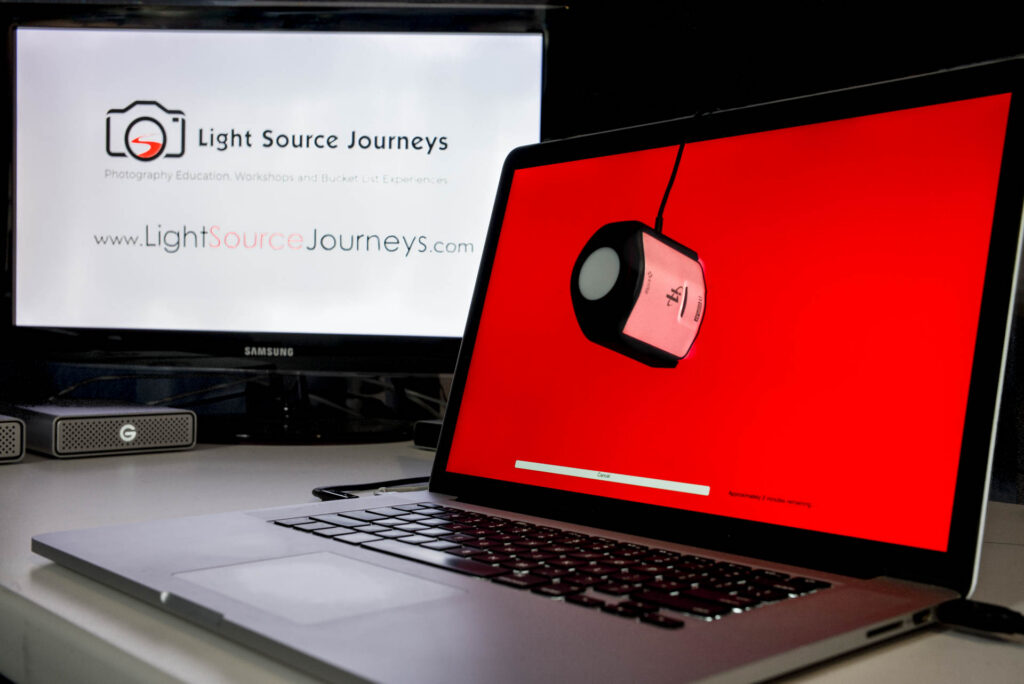
Why Monitor Calibration Is Important Why Do I Need A Monitor Calibrator? You just clicked the shutter and on your camera’s screen you can see the amazing image that you’ve just created. Maybe it’s an explosive sunset. Maybe it’s a memorable moment at a family dinner. Maybe it’s your dog being ridiculously adorable (or mischievous). You get the image to your computer, and you adjust the picture to look fantastic. Maybe you hit the Auto button. Maybe you applied a preset you like. Maybe you spent hours painstakingly adjusting the white balance and exposure and layering and masking and blending and manipulating individual color channel luminance to arrive at your masterpiece. Regardless of your method, unless you have a calibrated monitor you have no idea if you are adjusting a greenish tint in your image or one that your screen is imparting on it. Is that brightness adjustment actually necessary, or is your monitor too dark? Luckily there is an easy way to make sure that you are spending your time preforming necessary adjustments to your images. What Is A Monitor Calibrator? The simple answer to this question is – a device you put on your monitor that then runs a computer program that reads how your monitor is displaying color, and then adjusts it to the way it should be. This takes a couple minutes and should be repeated every so often, but more on that later… There are two main brands when it comes to color calibration, X-Rite and datacolor. I have used both of these brands and have no bias to one or the other. When you are looking at a specific price point though, the offering in that category from each brand may or may not have the options you need. Both companies have been in color management for more than 45 years – X-Rite since 1957 and datacolor since 1970. They both offer calibrators from under $100 to more than $500 (for the consumer market). To get a better idea what you may need in a calibrator, lets take a look at some of the things you may consider when shopping for one. Things To Consider Do you edit images in one location, or do you edit in multiple locations? Do you use multiple monitors or a projector when plugged into the same computer? Do you do a lot of printing? What kind of budget do you have? Let’s Take A Look At Each One Of These On Their Own Do you edit images in one location, or do you edit in multiple location? While some people use a laptop and might be editing images in various conditions, others use a desktop and always edit in the same room. One of the features that could be worth looking for on your future calibrator is an ambient light sensor. The color of the light in the room you are editing in has an effect on the way you see your screen. Not only are there differing colors of light bulbs, but if there is a window in the room you edit in, the color and intensity of the light pouring into the room will change throughout the day. When you are comparing different models, some will have an ambient light sensor, while some of the less expensive ones may not. The calibrator I use does have one, but I don’t keep it plugged in all of the time. It reads the light in the room at the time of the calibration, and then I can prompt it to at any point by plugging it and telling the program to take a reading. If you edit in a static location the calibrators can be set up to take a reading on a regular schedule – from minutes to hours between readings. It the light is moving through the room you edit in over the course of a day, the calibration program will make live-time adjustments. Do you use multiple monitors or a projector when plugged into the same computer? Despite the fact that I personally use a laptop and might be just as likely to be editing at a coffee shop in Chile as I am to be in my home office, I do use multiple monitors. On my desk I have a larger monitor that I will often use to expand my work space. I also have a projector that I tote around the country for my workshops and classes. When you are looking for a calibrator, the ability to use multiple monitors, or even a projector can be a distinguishing factor. If you have the need to run more than one display at the same time, and want them to be as close as possible to each other, this is a feature you will need. All monitors are not created equal! The type of monitor you buy – IPS or TFT along with quite a few other factors – will play into the monitors ability to display color, blacks and whites, contrast range, angle of view and much more. This is a wholly different topic that warrants its own tutorial. I will give you a brief look into monitors at the end of this article though. Do you do a lot of printing? If you print your images, the accuracy of the color plays heavily into your bottom dollar. If you have to try four or five times to get the color “close enough,” then you are wasting more money on inks and papers than the calibrator would of cost you to begin with – not to mention the unnecessary frustration. There are a lot more complexities to home printing than a monitors calibration (also warranting their own tutorial), but if your monitor is calibrated your prints will already be much closer to the displayed image. Only the systems over $500 will talk to your printer and put it on the same page as your monitor (no pun intended). Unless